What Are Bookmarklets and How Can You Use Them?
A guide to bookmarklets and how to turn JavaScript into browser bookmarks.
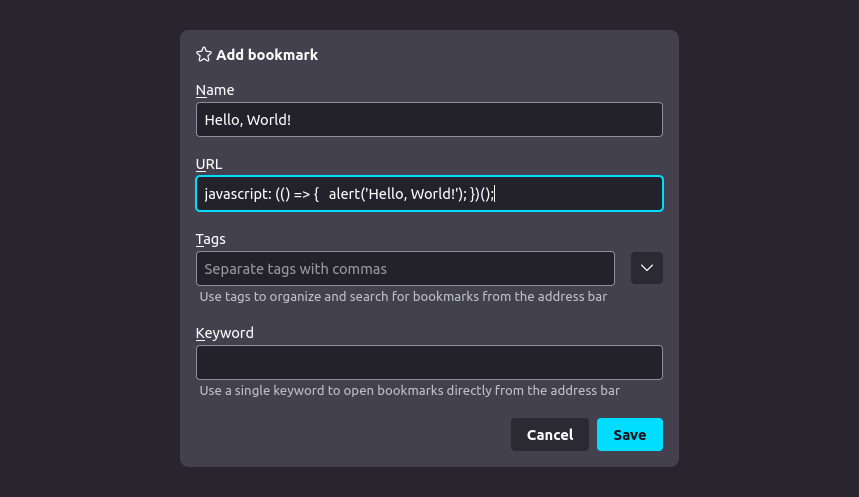
A bookmarklet is a bookmark stored in a web browser that contains JavaScript commands that add new features to the browser. They are stored as the URL of a bookmark in a web browser or as a hyperlink on a web page.
First bookmarklet I found on web was in this Github Repository - https://github.com/dohliam/dropin-minimal-css. It had a bookmarklet which adds a drop-down menu from which we can choose different minimal CSS styles. Here is what the bookmarklet code looked like:
function () {
  var body = document.getElementsByTagName("body")[0];
  script = document.createElement("script");
  script.type = "text/javascript";
  script.src = "https://dohliam.github.io/dropin-minimal-css/switcher.js";
  body.appendChild(script);
}
Note that since javascript code cannot be directly stored as a URL, it is encoded into a URL. You can also use this site which help in doing so https://mrcoles.com/bookmarklet/. Also if you have python installed, you can convert locally any javascript code into bookmarklet using this command:
python3 -c "import urllib.parse, sys; print('javascript:('+urllib.parse.quote(''.join([line[:-1] for line in open(sys.argv[1]).readlines()]))+')()')" [javascript_code.js]